
Save the cart.
Understand the follow-up.
Three practical tools help you fit cart saving to your store, inspect a recovery decision and keep up with the week’s recorded results.
Free includes basic recovery reports and one editable email reminder. The separate paid Pro add-on implements these controls after initial activation on your store.
The cart-saving screenshots show the actual Pro 1.1.24 demo. Cart-details and weekly-summary screenshots are retained genuine Pro 1.1.21 examples, labelled individually. All use fictional data, not merchant results. Viewing this page does not save a task, subscribe you to emails or change your store.
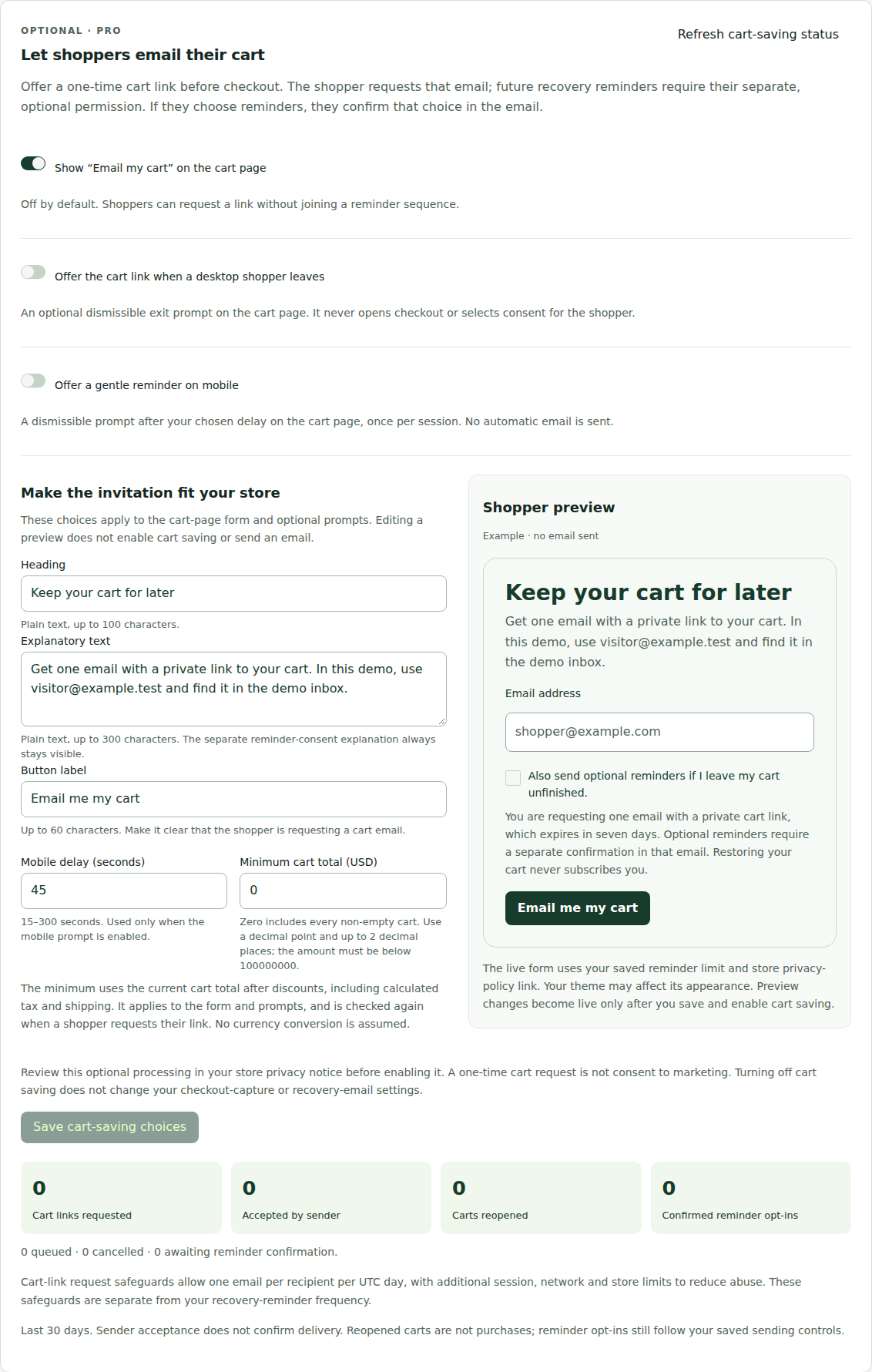
Make cart saving fit your store.
Give shoppers a clear way to return while they are still browsing. Customize the cart-saving heading, explanation and button, check the preview, and choose when an optional mobile prompt appears.
- Choose your copy and preview it in Settings.
- Choose a mobile delay from 15–300 seconds and an optional minimum cart value.
- Test request cart email → receive the link → explicitly restore the cart.
One requested cart email does not subscribe someone to reminders. Reminder permission is a separate unchecked choice, confirmed through the email. Cart saving starts off; a positive minimum needs review after a currency change.

Understand what happened to a cart.
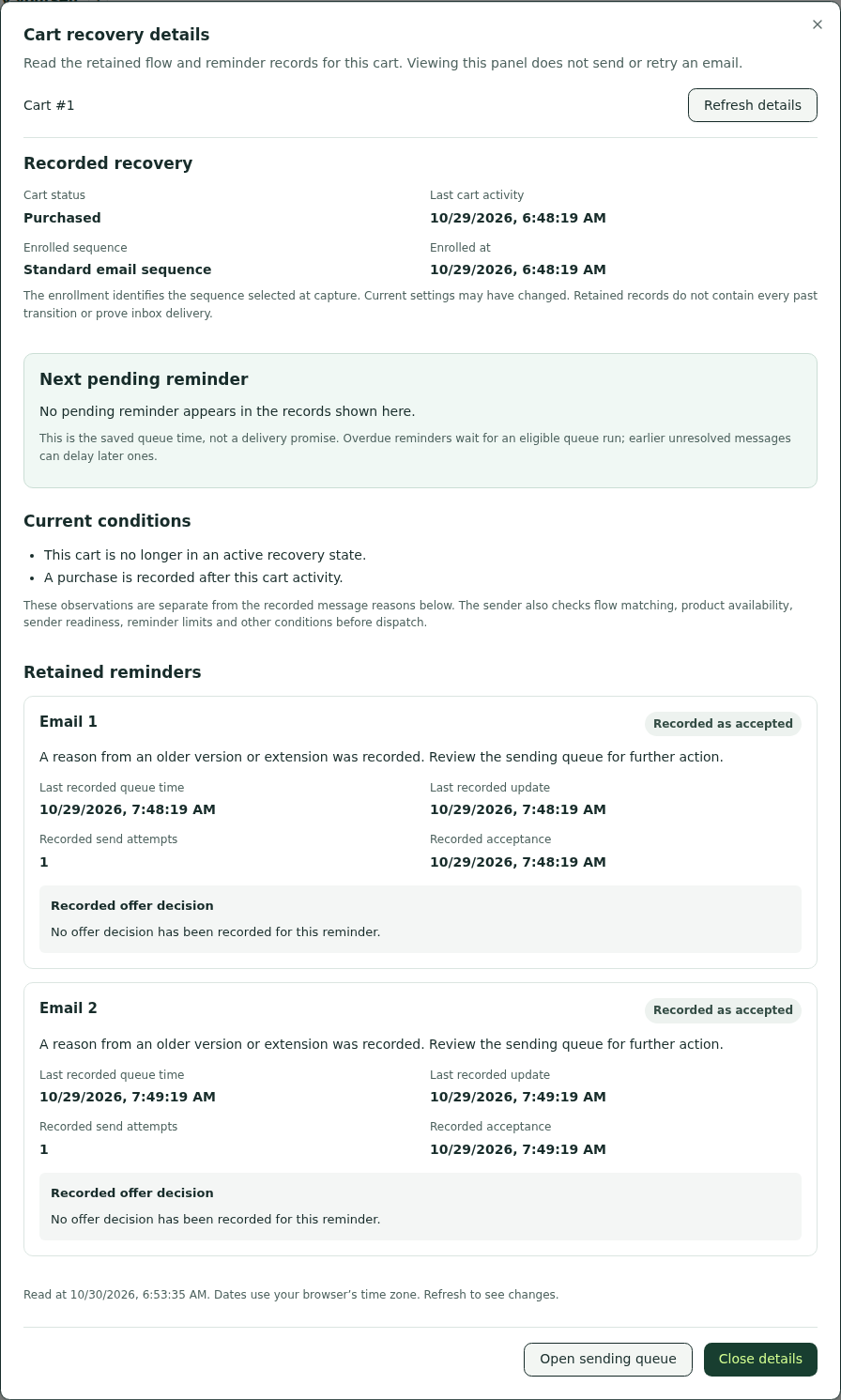
Open View details beside a checkout in Overview to inspect the saved flow, message state, offer decisions and known skip or failure reasons. Separate the recorded history from what is holding recovery now.
- Find the checkout in Overview and select View details.
- Read the retained flow, revision, experiment variant and message history.
- Review current holds separately, then decide whether to inspect your settings or provider.
This view is read-only: it does not resend, retry, change the cart or expose message payloads. Missing evidence stays unknown. Recorded acceptance means a handoff, not proof of inbox delivery.

Get an optional weekly summary.
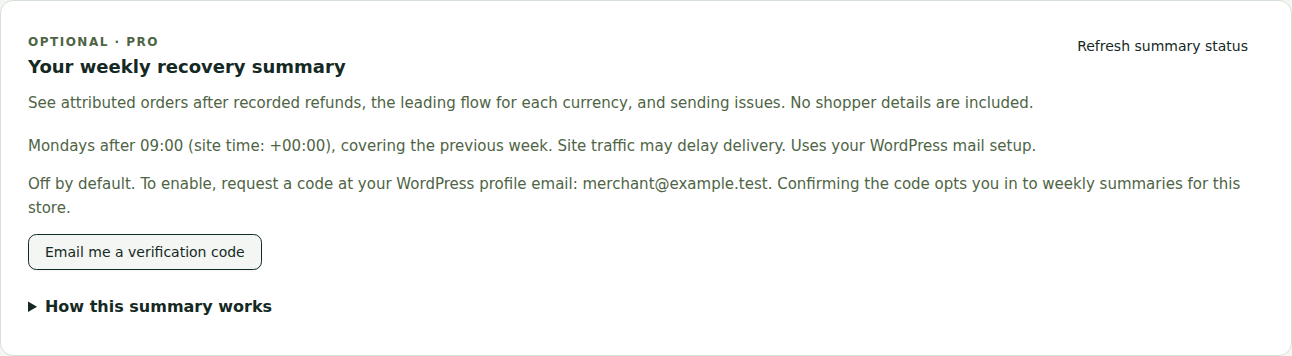
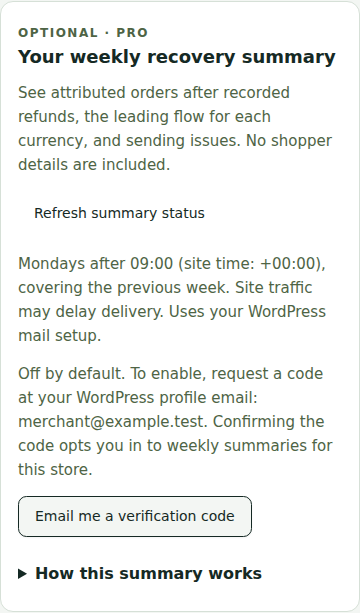
Review attributed orders after recorded refunds, leading flows and sending issues without exporting shopper details. Each currency stays separate. A store administrator explicitly verifies their own WordPress profile email to enable it.
- Open Reports and request a verification code for your own profile email.
- Enter the code to enable the summary; it starts off by default.
- Review the previous completed calendar week, or turn summaries off from the same panel.
Summaries become due Mondays after 09:00 in the WordPress site timezone. Your WordPress mail setup and scheduler determine delivery; traffic can delay cron. Uncertain attempts are held rather than automatically repeated. Attribution is not proof of additional profit.
Install the matched pair, then continue in WordPress.
Download Pro from your eligible account. Pause sending and take a current backup. Replace Free 1.1.24 first, then Pro 1.1.24 in a separate request without uninstalling. Old Pro 1.1.21 is incompatible. Review settings, queued messages and any migration hold before explicitly resuming. Keep both plugins active. For an installation that has not activated Pro before, connect an eligible account and choose Activate Pro for this store. Connecting or refreshing alone does not unlock it.
Installation and activation do not enable capture, reminders, discounts or weekly summaries. After initial activation, local Pro tools keep working after expiry or a temporary service outage. Eligible private downloads, updates and account services retain their existing requirements.