Edition guidance updated 28 October 2026 for 1.1.17. Earlier instructions described 1.1.8. This remains a hypothetical staging procedure, not a claim that these tests ran on your installation.
Before reporting a refunded order as recovery sales, verify its amount and how the refund affects the selected reporting period. In WakeMyCart Pro, open the attributed order and compare its value, discounts and refunds with the underlying WooCommerce records.
The result should be a manual reconciliation note: either a verified attributed amount or an unresolved issue with a named reviewer and next action. A recovery-link match records an observed purchase; it does not prove that the reminder caused additional sales.
Start with the required records
This workflow requires Pro installed alongside Free, recorded recovery activity and access to the relevant WooCommerce order and refund records. Free provides basic recovery reporting; Pro adds detailed reports and order drill-down.
The installation documentation recommends the matching Free/Pro 1.1.17 pair. Reviewing reports does not require enabling new reminders. If you need to change the installation, back up and test on staging first. Follow the installation and version requirements for prerequisites and account-access details.
Read the $180-to-$150 example
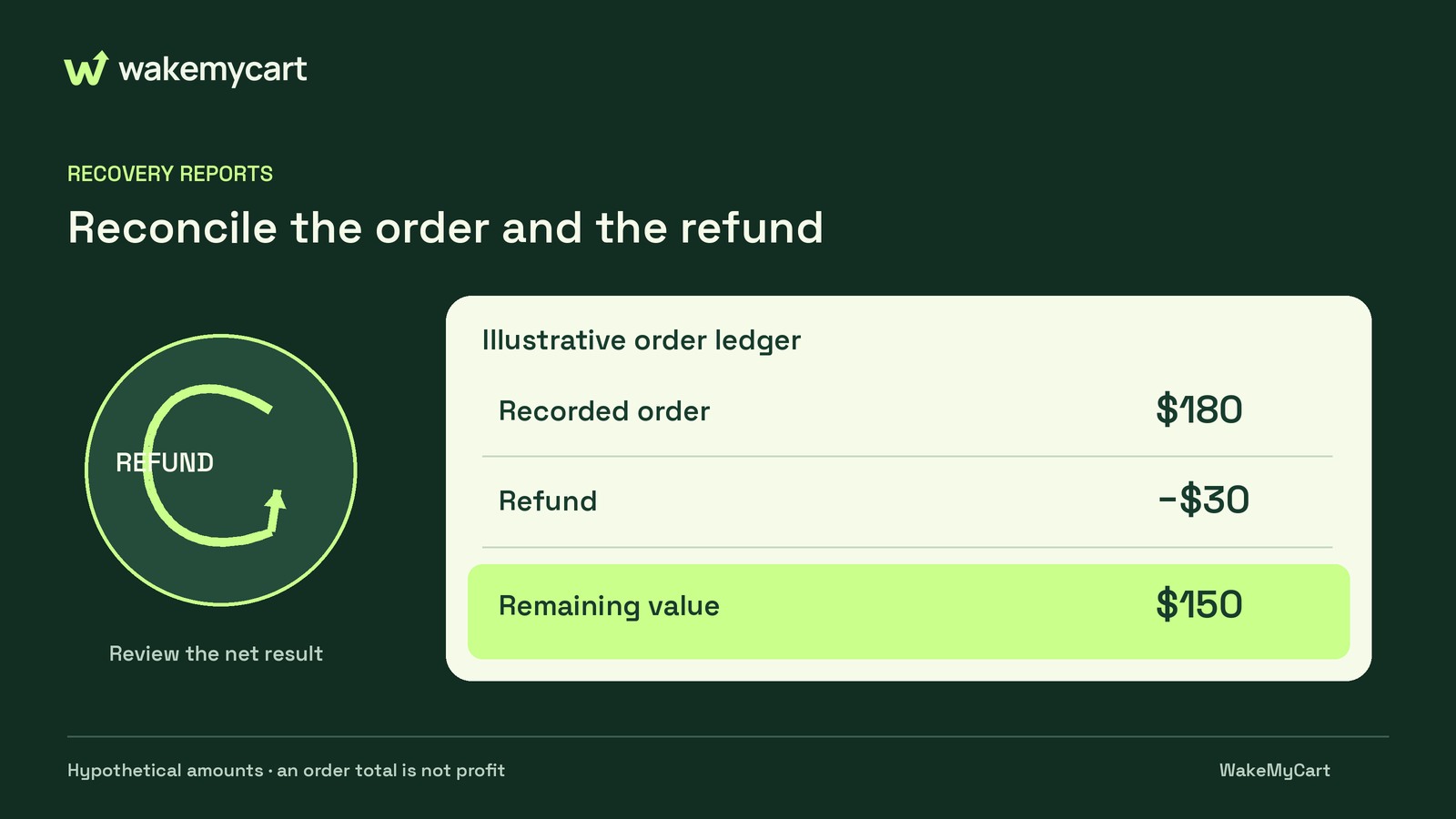
The published illustrative reporting sample shows an order value of $180 excluding tax, a $30 refund and $150 in attributed sales after refunds. Shipping remains included. The arithmetic is $180 minus $30, leaving $150. This is sample data, not customer evidence.
Now consider a separate hypothetical variation: the $180 starting value already reflects a $20 discount, and the $30 refund uses the same comparison basis. The remaining amount is still $150—not $130. Subtracting the discount again would count the same reduction twice.
The sample does not establish how refund dates affect period inclusion. The discount variation explains a manual review principle, not an undocumented rule about how every report field is calculated.
Establish the reporting scope and refund treatment
Record the report being reviewed, selected date range, currency and review time. Use Pro’s order drill-down to identify the attributed order, then match its reference to the WooCommerce order and refund records. Similar amounts alone are not enough.
Retain the available attribution evidence, such as the recovery-link match. You can inspect WooCommerce records directly for the manual amount check, but those amounts alone do not establish recovery attribution.
Refund-period treatment needs a separate answer. The reviewed documentation does not specify how refund dates govern inclusion. Do not assume the refund belongs to the purchase period, the refund period or both.
Note the order date, refund dates and displayed amount. If the treatment is unclear, assign a reviewer to obtain clarification from the reporting owner or product support. Ask:
“For this selected range and order, which dates and inclusion rules determine whether—and how—this refund affects the displayed amount?”
Keep the order’s contribution to that period unresolved until the answer is established, even when the arithmetic balances. An unexplained difference is not, by itself, evidence of a product error.
Compare amounts on the same basis
The published example excludes tax and retains shipping. Verify the basis of your actual figures before applying its arithmetic; a tax-inclusive total is not directly comparable with an amount excluding tax.
Starting value: Identify what the amount includes, particularly tax, shipping and already-applied discounts. Keep the report’s displayed value separate from your manual comparison so another reviewer can follow both.
Discounts: Establish whether the starting value already reflects the discount. A separately displayed discount is not, by itself, an instruction to subtract it again. If its treatment cannot be established, document the uncertainty rather than choosing whichever calculation matches the report.
Refunds: Review all relevant refund records, not just the first one. Check their amounts and any tax or shipping components against the basis of the reported figure. Keep the refund references in your note so another reviewer can trace the comparison.
Do not force a balanced total with an unexplained adjustment. A useful reconciliation can end with a clearly identified missing explanation.
Build the review handoff
Create the note in a document or spreadsheet. This is a manual worksheet, not a plugin export or automated accounting feature. Record unknowns explicitly; completing the documentation does not necessarily mean the amount is verified.
Use a qualified client-ready explanation
For a hypothetical order using the sample amounts, use this wording only after verifying its amounts, attribution evidence and period treatment:
“The checked order is matched to a recovery link. Its $180 value excludes tax and includes shipping; recorded refunds of $30 leave $150 in attributed sales after refunds for the verified reporting scope. Any discount already reflected in the starting value has not been deducted again. This records an observed attributed purchase, not proven additional sales or profit.”
If period treatment remains uncertain, use this explanation instead:
“The report displays $150, but this order’s contribution to the selected period has not yet been verified because refund-date treatment remains unresolved. The recovery-link match records an observed purchase, not proven additional sales or profit.”
Hand the note and supporting evidence to the named reviewer. Assign any unresolved question for clarification before presenting the amount as reconciled; do not silently alter the displayed figure.