FREE & PRO SETUP GUIDE

Set up your first recovery.

Install Free, send yourself a test email, then check a complete checkout recovery before you enable sending on your live store.

Free works without a WakeMyCart account. Keep this guide open beside your WordPress admin.

BEFORE YOU START

Have these ready.

  • WordPress 6.5+, PHP 8.1+ and WooCommerce 8.9+Use HTTPS and pretty permalinks. Test your exact theme, checkout and extensions.
  • A test copy of your store and an inbox you controlKeep recovery sending paused while you prepare your settings.
Using a custom checkout or other extensions?

Your first recovery with Free

Start on a staging store. Set up one reminder, check a real inbox and test the complete shopper journey before enabling recovery on your live store.

No WakeMyCart account needed · One editable reminder · Three layouts

0 of 6 steps checked

STEP 1 OF 6

Install Free

WordPress → Plugins

  1. Keep WooCommerce active. Open Plugins → Add New Plugin → Upload Plugin, choose the Free ZIP, install it and activate WakeMyCart Free.
  2. Open WakeMyCart in the WordPress sidebar. Free works without a WakeMyCart account, licence key or connection code.
  3. Keep recovery sending paused while you work through these checks on your staging store.
What to check

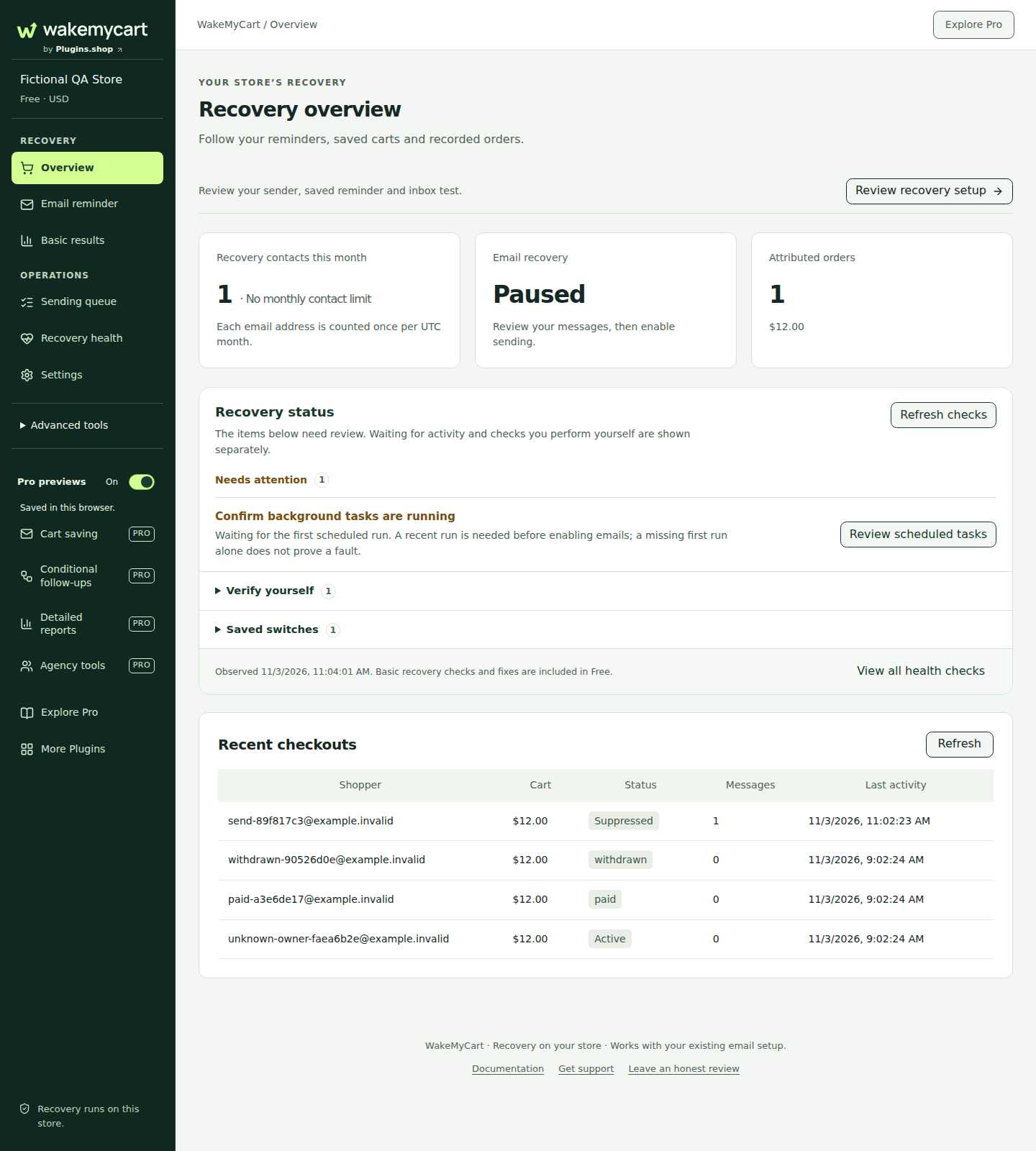
The WakeMyCart workspace opens in WordPress and you can see its setup controls.

WakeMyCart Free 1.1.24 overview and recovery setup in a fictional WordPress test store.View full-size screenshot (new tab)
Actual Free 1.1.24 interface · Fictional local test store.
Open detailed instructions (new tab)
Custom checkouts, extensions and currencies

Check your exact setup. Meeting the minimum versions is a starting point. Test your theme, checkout and payment gateway on a copy of your store.

Simple and variable products are supported. Included extension profiles cover initial subscription purchases, native Product Bundles and non-upload Product Add-Ons. Validate the extension versions and cart restoration you use.

Custom checkout builders and custom Checkout Blocks fields need integration checks, including shopper permission and product details. For multiple currencies, enable the relevant currencies and validate your FOX or WCML integration.
Read compatibility details

IF YOU GET STUCK

Find the next thing to check.

Still need a hand?

Send the details you checked so support can help with the next step.

Create a support ticket