Edition guidance updated 28 October 2026 for 1.1.17. Earlier instructions described 1.1.8. This remains a hypothetical staging procedure, not a claim that these tests ran on your installation.
Before approving WakeMyCart for Product Add-Ons, compare a normal cart with one restored through a genuine recovery link in an empty guest browser session. Check distinct lines, selected options, quantities and charges—not just whether an email arrives.
The product documents restore links and a Product Add-Ons adapter, but requires validation of your exact store combination. Confirm adapter availability for your intended edition rather than inferring it from restore-link availability. Custom checkout builders and upload add-ons require separate compatibility review.
Prepare an isolated test
- Isolate sending. Back up the store and use an isolated staging copy. Keep recovery paused until staging mail is restricted to addresses you control and live customer recovery jobs are excluded. These are staging and mail-configuration requirements, not assumed plugin safeguards.
- Confirm the installation. With WooCommerce active, use Free 1.1.17, or the matching 1.1.17 Free/Pro pair when testing Pro. Free works locally without an account. Obtain Pro through an eligible account and keep Free active alongside it. Follow the installation requirements.
- Record the scope. Note WordPress, WooCommerce, recovery plugin and add-on extension versions, checkout type, and relevant pricing or currency extensions. Start with a guest journey; evaluate logged-in journeys separately if needed.
Build a normal two-line baseline
Build the cart manually through the product page, without a recovery link. If it already loses options or merges different selections, stop and investigate the ordinary cart first.
For this hypothetical example, use one simple $20 mug product with the fictional SKU MUG-TEST. Assume USD prices, per-item add-on charges, available stock and no discounts. All example charges exclude tax and shipping.
- Line A: Kraft wrap at $3 per item, quantity 1; line charge $23.
- Line B: Fabric wrap at $5 per item, quantity 2; line charge $50.
The baseline has two lines, three units and $73 in combined line charges. These are illustrative inputs, not observed results or universal add-on pricing rules.
Save screenshots, product identifiers, option labels and values, quantities and charges. Record currency, tax display basis and location inputs. Do not change this original cart during the restoration test.
Obtain the captured cart’s recovery link
- Capture with permission. Enable opted-in checkout capture in Setup & settings. Take the baseline cart to checkout with an owned test address, deliberately select reminders and confirm the saved-preference message. Entering an email alone is not permission. Do not place an order for this test.
- Check readiness and activate. Confirm the sample checkout appears in Overview. Save your sender and sequence, send a test to your WordPress account email, and inspect Recovery health. Resolve reported issues before deliberately enabling recovery in Email sequence, following the activation procedure.
- Obtain the actual reminder. Use the reminder generated for that eligible captured checkout under your saved timing and permission controls. A template preview or standalone sender test does not establish that the captured cart can be reconstructed.
Open the link without the original session
Use a fresh browser profile, or close all private windows and start a new private session. Verify that you are logged out of the store and its staging cart is empty. A new tab in the original browser is not sufficient.
Confirm that the genuine reminder’s recovery link points to staging, then copy it into the verified empty session. Clicking it directly in an email client may launch the original browser and reuse its cart.
Do not add products manually. Record errors, unexpected login requirements or redirects rather than silently switching to a logged-in journey. Keep currency and tax-location inputs comparable with the baseline before comparing charges.
Complete the baseline-versus-restored comparison
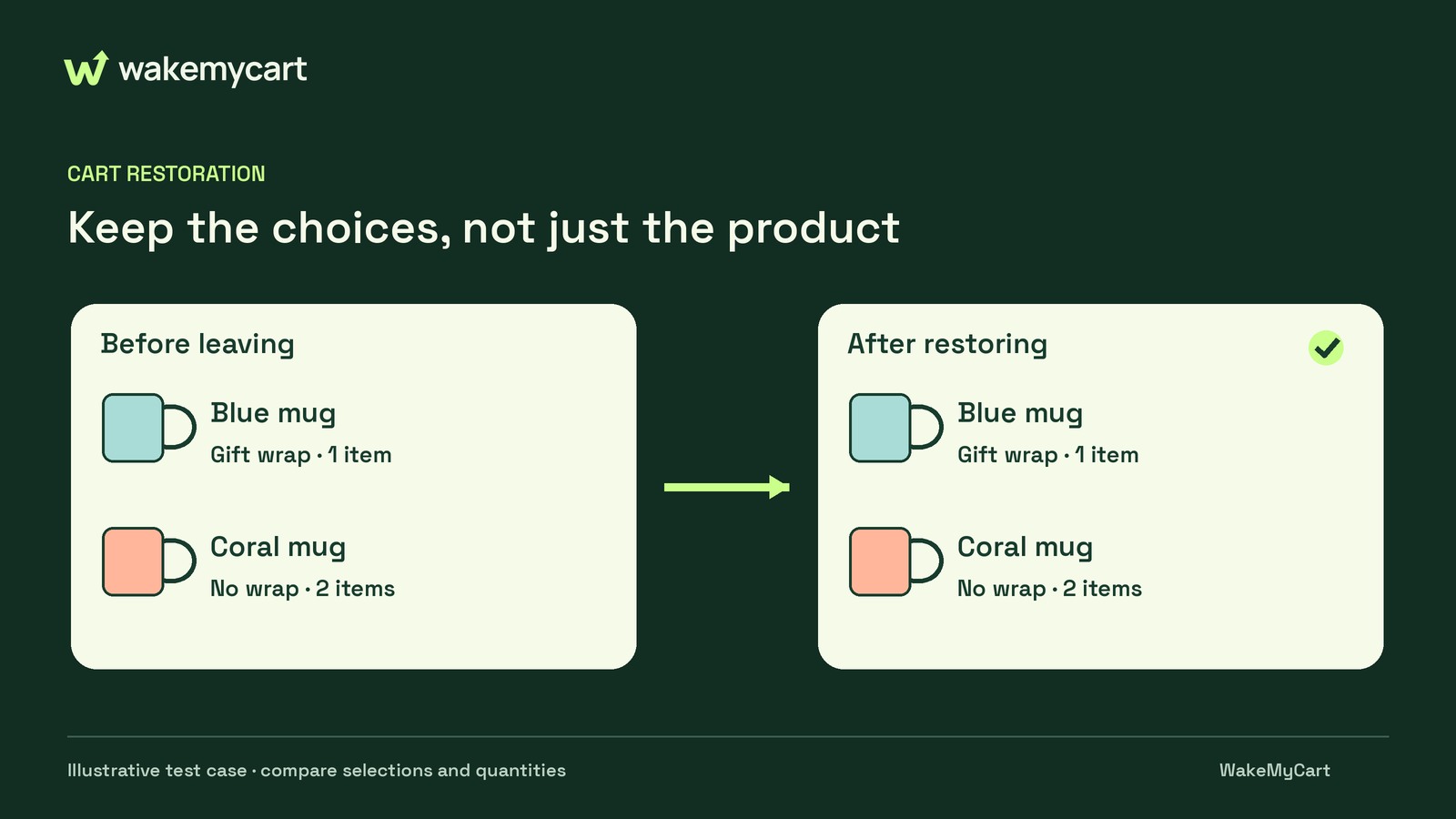
In your test note, record the baseline and restored values side by side in each entry: product identifier, variation where applicable, choices, quantities and displayed charges. Attach screenshots and capture and return times; label the currency and tax basis.
Here is an entirely hypothetical completed comparison, not a plugin test result. It assumes the mug prices and store settings remained unchanged, with stock available and tax and shipping excluded.
- Line A: Baseline: MUG-TEST, kraft wrap, quantity 1, $23. Restored: MUG-TEST, kraft wrap, quantity 1, $23. Identity, selection and quantity match; the $20 mug plus $3 wrap reconciles to $23.
- Line B: Baseline: MUG-TEST, fabric wrap, quantity 2, $50. Restored: MUG-TEST, fabric wrap, quantity 2, $50. Identity, selection and quantity match; two items at $25 reconcile to $50.
- Cart check: Both carts have two distinct lines, three units and $73 in combined line charges.
- Example decision: Approve only the recorded guest configuration for these tested mug choices. Other products, combinations and journeys remain untested.
A matching total is not enough. A single three-unit line showing only kraft wrap fails the selection check even if its charge happens to be $73. Two lines also fail if either has the wrong choice or quantity.
Decide whether to approve, repeat or hold
Do not treat a restore link as freezing prices or reserving stock. A successful staging case does not establish universal compatibility.
- No genuine reminder link: mark restoration untested. A successful sender test is not a substitute.
- Changed inputs: document them and repeat. Check current product and add-on prices, quantity rules, currency, taxes, discounts and availability. Rebuild the same selections manually under current settings as a control, then repeat restoration under stable conditions. The normal cart helps diagnosis; it does not prove recovery works.
- Unexplained differences: hold rollout. If selections, quantities, charges or the return path remain unexplained, prepare a reproducible compatibility case rather than assuming the plugin will repair the discrepancy.
- All checks reconcile: approve only the recorded scope. Repeat affected tests after relevant extension or configuration changes.
For support, include the comparison note, versions, exact cart-building steps, relevant settings, timestamps, screenshots and store support summary. Keep credentials and full recovery URLs out of public reports.
Finish your note with a named decision owner and a specific next action: repeat the test, submit the support case or approve the recorded scope. Pause staging recovery when testing ends.